Scheduled jobs
- Ref
- U4
- Project
- Atlas Agent
- Sheet
- 2 of 4
- Rev
- C
The work Atlas does without being asked, what triggers it, and how I know when it stops.
Most of what Atlas does isn’t a conversation. A small scheduler wakes up once a minute, reads a list of jobs and runs whichever ones are due, and since that list is just one file, the agents can add jobs to it themselves (they have to ask me first), with every change showing up in git. There are 30 jobs on it at the moment, 28 of them switched on.
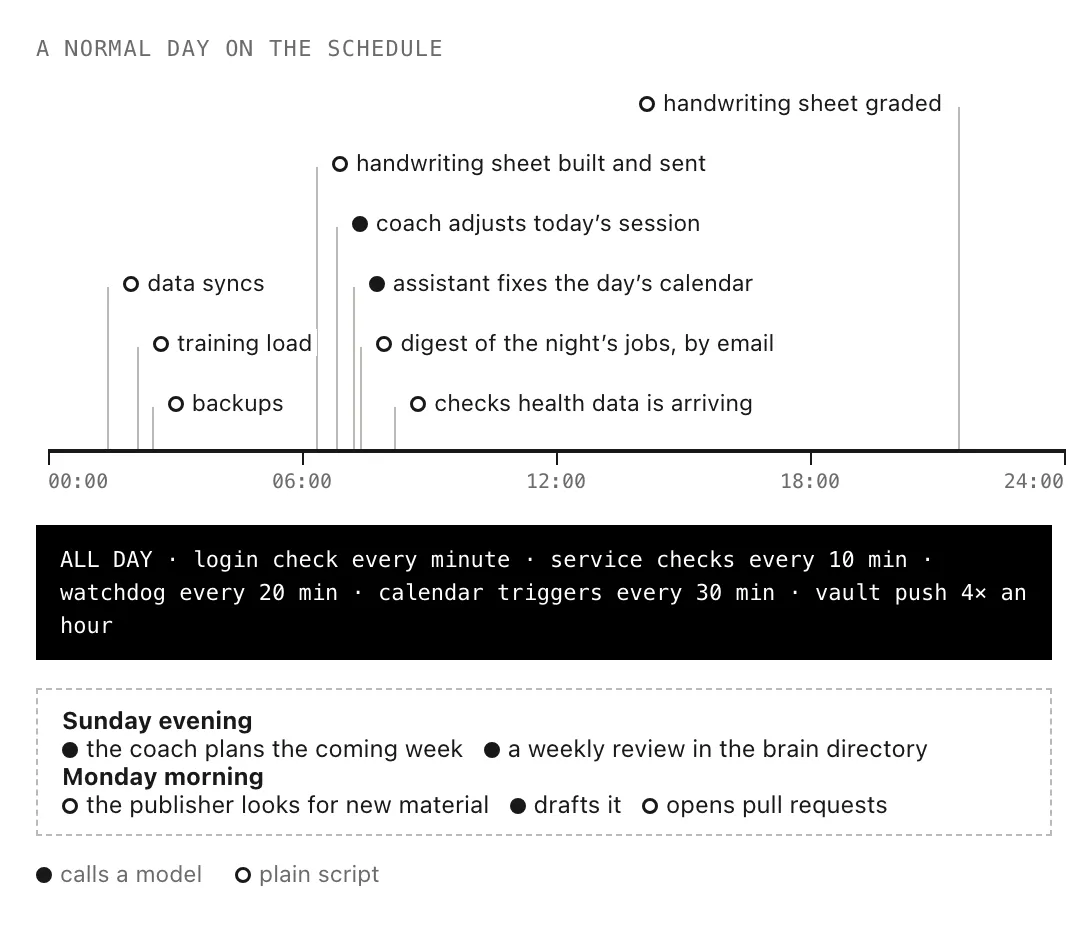
An ordinary day of scheduled jobs, with the times approximate.
Scripts first
Only 5 of the jobs use a model to do their work, and everything else is a plain script, seeing as syncing data, rebuilding the training numbers or taking a backup doesn’t need any judgement, and a model would only make those jobs slower, more expensive and less predictable. The previous version of this system ran every job through the model, which is one of the reasons I replaced it.
The jobs that do use a model work in a weekly and daily rhythm. On Sunday evening the coach plans the following week, and each morning it adjusts that day’s session based on how I slept and recovered, after which the assistant fits the rest of my day around it. The weekly job plans and the daily one corrects, and the order matters, because the assistant can only place a session once the coach has decided on it. Each of these jobs also has its own model and effort level, so the daily check runs on something smaller than the weekly planning does.
Triggers
Some things shouldn’t wait for a schedule, so a listener on the mini can also wake an agent when something happens. If I add a reminder to the Atlas list it gets noticed within about a minute and the assistant deals with it, and calendar events can trigger an agent as well, for example ten minutes after my Chinese class finishes, one goes through my notes from the class. Since the calendar rules match on the event and not on a date, a weekly class keeps triggering without anything having to be set up again.
Knowing when something stops
Every job records a heartbeat when it succeeds, and every 20 minutes a watchdog goes through the list of jobs that are supposed to exist and checks that each one has reported back recently enough. It starts from that list and not from the history of what ran, because a job that never got started has no history at all, and the only way to notice it is to be expecting it. When a job does fail I get one email, not one per attempt, and every morning there’s a short digest of what each job did during the night, so a quiet inbox actually means things are fine.
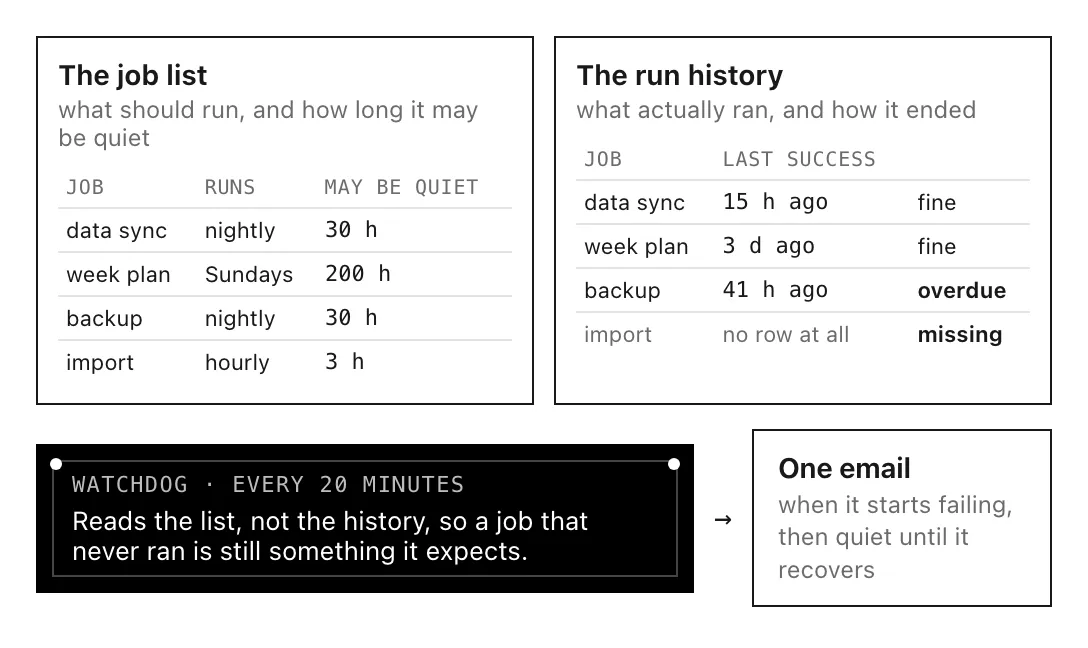
Made-up rows, but the same mechanism as the real one.
I built it this way after the health data pipeline from the previous version had been broken for 7 weeks while every job kept reporting that it had run fine, and quite a few of the jobs on the list now are small checks of exactly this kind, making sure the login, the calendar and the other services on the mini are still answering.